See Productivity in Real Time.
Monitor employee activity, track work hours, and improve team efficiency with powerful insights.
AI attendance tracker is a digital tool which businesses use to record attendance automatically and reduce manual methods of recording. The software has features to verify check-in and check-out using facial recognition, mobile verification and device information.
In AI attendance systems the data is automatically saved and organized properly. That is why right now managers do not depend upon spreadsheets or registers.
The AI attendance tracker makes a simple and fast process for recording attendance whether employees are working in the office, work in hybrid mode or work in multiple locations. But keep in mind that every tool does not have the same features. You should understand tool features like accuracy, privacy, supported devices and limitations.
How Does an AI Attendance Tracker Work?
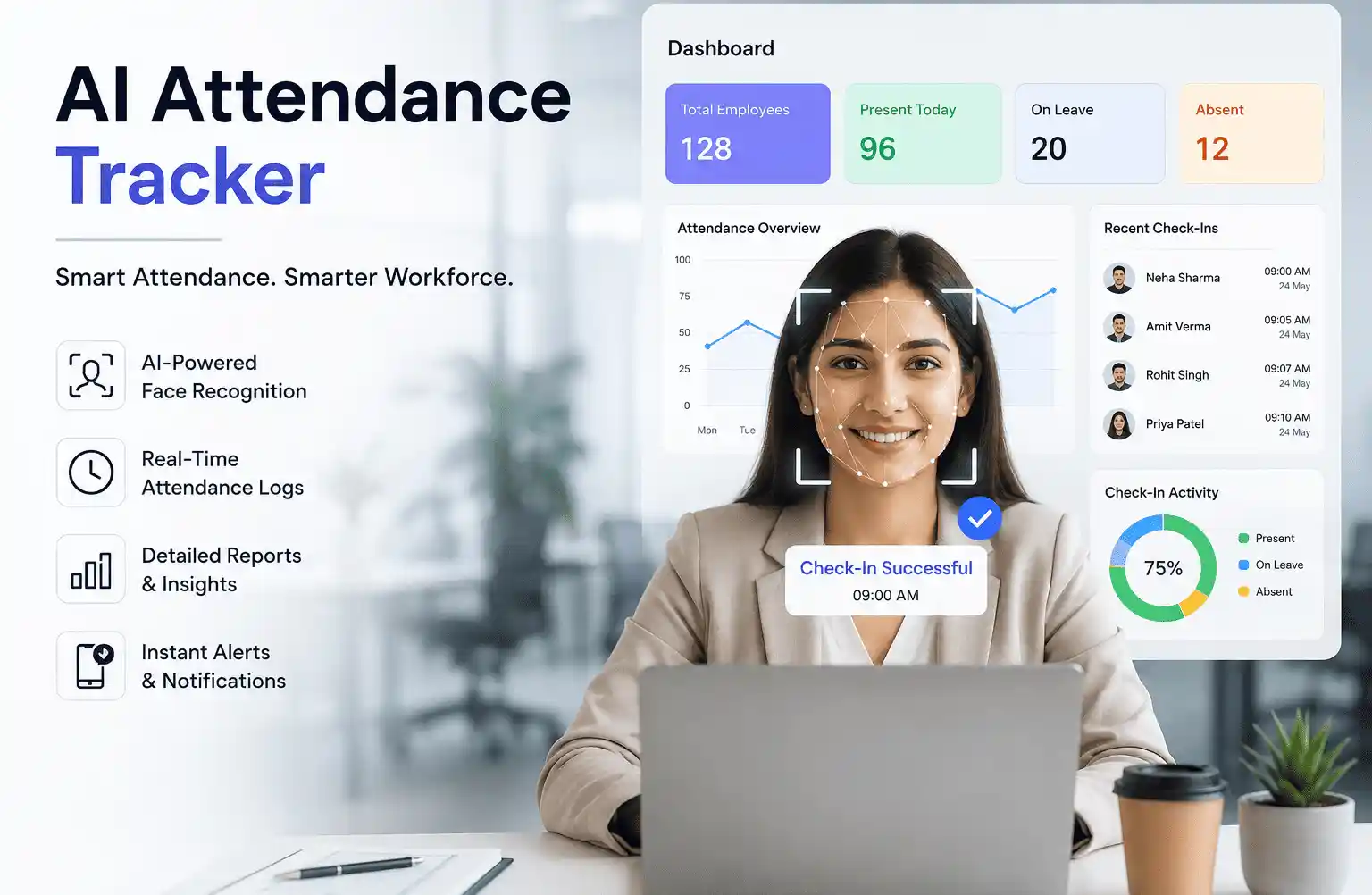
AI attendance tracker works through some steps.
- Employee identification
First software identifies who is marking attendance and software verifies that person using facial recognition data, mobile account and employee ID then approves attendance.
- Check-in and check-out
Employees can also check when they start and end their shift. The system records all data.
- Data collection
Trackers collect attendance-related information which includes time, employee identification, device information and location. This information depends upon the selected attendance method.
- Automatic processing
The software organizes the collected information properly automatically and processes the data according to the business attendance rules.
- Attendance record creation
After processing the information becomes part of the employee attendance record. HR and manager can review reports through the dashboard.
What Technology Is Used in AI Attendance Tracking?
The same technology is not used in every AI attendance tracking system and different systems use different technologies according to their needs.
- Facial recognition
Some employees use face identification when marking their attendance and the system verifies employee faces with registered employee information.
- Mobile verification
They mark their attendance using mobile to check-in and check out this feature is best for those who work in multiple locations or on remote work.
- Location verification
Some AI attendance tracking systems record locations and manager or HR can easily check if an employee marks attendance from the assigned location or not.
- Device-based verification
Some tools approve attendance when employees mark attendance through an approved device from the management like from office laptop.
What Can an AI Attendance Tracker Automate?
The main benefit of AI attendance tracker is automated attendance work. The software can automate these tasks based on features.
- Recording employee attendance
- Maintain records of check-in and check out
- Organize attendance data in a professional manner
- Send quick alerts to manager or HR when someone requests leave
- Creating a full attendance report in just one click
- Collect the attendance information from supported devices
AI Attendance Tracker vs Traditional Biometric Systems
| Key Point | AI Attendance Tracker | Biometric System |
|---|---|---|
| Attendance tracking | Tracks through software | Uses fingerprint or face scanning |
| Remote employee | Supports remote work | Usually not suitable |
| Field employee | More flexible | Not suitable |
| Hardware | Not required | Machine requires hardware |
| HR reports | Check anytime | Report at the end of month |
| Setup | Follow simple steps | Need a technician to set up |
| Maintenance | Mainly software installation | Software and hardware |
Benefits of AI Attendance Tracking
AI attendance tracker becomes useful when software features work according to requirements.
- Less manual work
The HR team can save time by reducing manual work because they do not enter attendance data by hand.
- Faster attendance recording
Employees can quickly record their attendance data through a supported device without using a lengthy process.
- Fewer data entry mistakes
AI attendance tracker reduces manual mistakes like entering the wrong time or forgetting to mark attendance.
- Centralized records
By using this software HR teams can view and manage attendance through one dashboard like checking who is absent or present and viewing leave approvals and rejections.
- Easier monitoring
Managers can check attendance of all departments without checking each name one by one. The manager can just click on the employee name and get a clear view of attendance data.
What Are the Limitations of AI Attendance Trackers?
Every AI attendance tracker is not a perfect solution for every business. You should understand software limitations before choosing.
- Internet dependency
Some software needs an internet connection and sometimes the internet is slow then employees cannot mark attendance properly.
- Device limitations
Some systems work on selected devices by the company like phones and computers.
- Recognition mistake
facial recognition sometimes fails because of poor lighting, camera quality and device problems.
- Privacy considerations
Businesses should know how employee attendance will be collected, stored, protected and accessed. The manager should inform employees about the attendance process and relevant company policies and procedures.
- Different software capabilities
AI attendance tracker does not mean that software works for every industry because one tool provides facial recognition and other provides mobile check-in and check-out.
What to Check Before Choosing an AI Attendance Tracker
Before selecting an AI attendance tracker, you should check these points.
- Attendance methods
Check that software supports the required check-in method or not.
- Supported devices
Software works on employees’ phones, computers, tablets or on other devices.
- Data security
Understand if the software provides data security or not.
- Reporting
Check If software can report which is useful for payroll processing or not.
- Ease of use
Make sure software is easy to use for employees and does not need extra training to understand the software features.
- Integration
Does the software connect with other systems which are already used by the business.
- Pricing
Do not just choose software after seeing the pricing you should compare required features and total cost.
Who Can Benefit from AI Attendance Tracker?
AI attendance trackers are useful for many different types of businesses
- Small businesses
Which wants to reduce the manual attendance system.
- Growing companies
Companies want properly organized attendance data
- Remote teams
that need easy digital check-in options
- Businesses have multiple locations
Those businesses that want to mark attendance from different locations but manage from one place.
How WorkDesQ Handles Employee Attendance Tracking
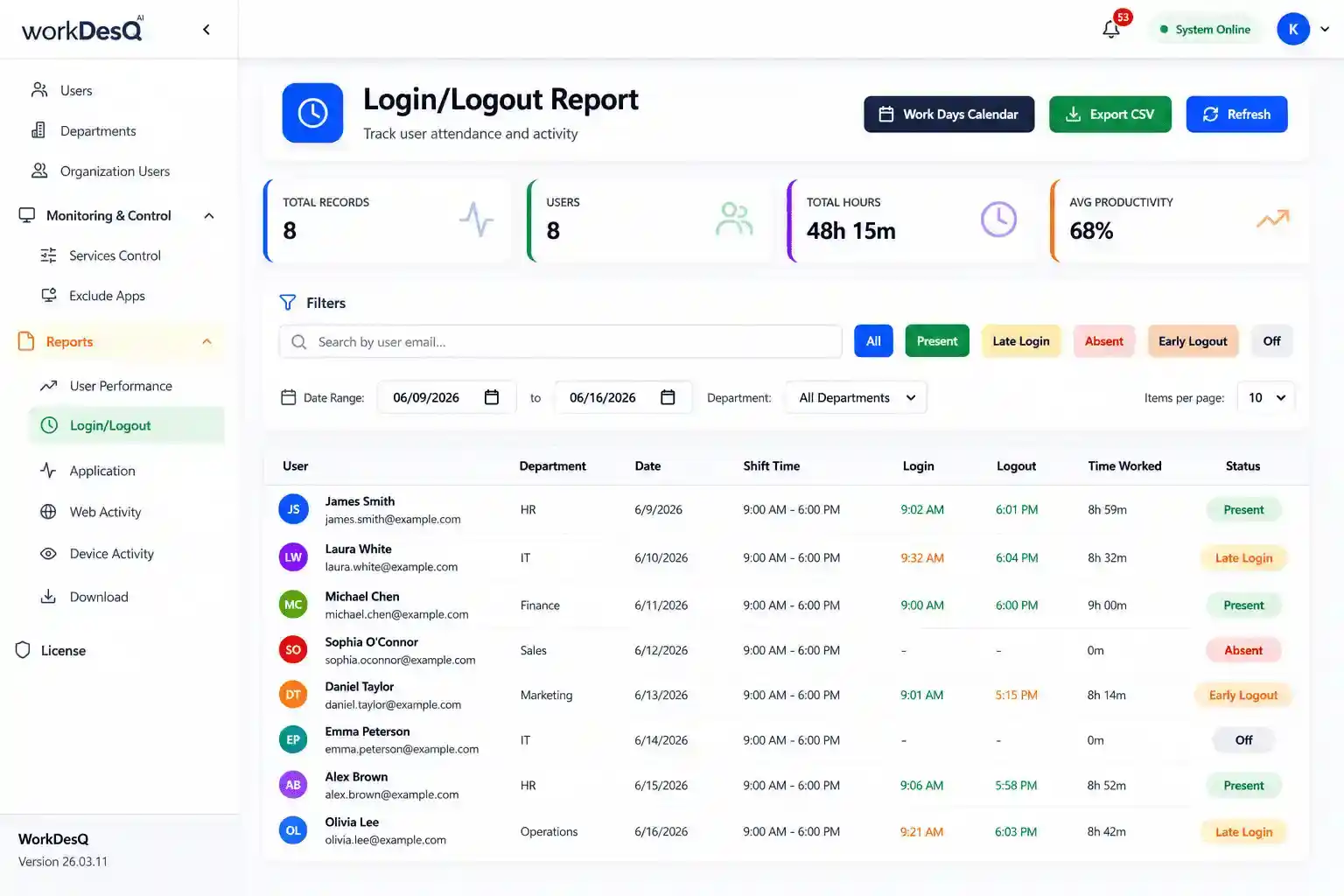
1 Automatic attendance tracking
WorkDesQ automatically records employee login and logout without manual entry.
2 Real-time attendance view
HR teams or managers can see who is present or absent and who is working remotely.
3 Break and working hours
WorkDesQ records employee breaks and working hours so it helps managers to understand the work patterns.
4 Attendance alerts
Software sends alerts immediately if an employee missed log out, early logout and shift changes.
5 Attendance reports
HR teams and managers can easily generate employee attendance reports.
WorkDesQ Makes Employee Attendance Tracking Simple and Easy to Manage