See Productivity in Real Time.
Monitor employee activity, track work hours, and improve team efficiency with powerful insights.
Are remote workers working all day? To find out you need modern employee monitoring software because remote employees do not work in front of you. Just because an employee is online does not mean they are actually working.
Now you may be wondering how you can check whether remote employees are actually working all day. A modern employee monitoring software provides important information that helps you understand their work activity, such as:
- Check the remote employee’s total working hours.
- Track remote employees’ productivity.
- See if the employee responds quickly when the manager sends a message.
- Check the time spent on each project.
- See whether deadlines are being met.
- Check which applications remote employees use the most during working hours.
Why Employers Ask If Remote Employees Are Working All Day
Remote work gives employees flexibility but managers have very little work visibility. That is why employers have some questions in their minds.
- Is the employee working during office hours?
- Are they using business applications or not?
- Are projects completed on time
- Are employees working throughout the day?
These concerns are very normal but judging employee productivity based on online status can lead to wrong decisions.
Why Online Status Does Not Show Real Productivity
Many companies still believe that a green status is a sign of productivity but in reality, a green status only means the employee’s system is active. It does not mean the employee is doing productive work.
Let us understand with an example
- An employee may show online but they are browsing non-work websites.
- Another employee may appear away while attending a client meeting.
- A software developer may spend time planning code without touching the keyboard.
That is why businesses should not rely on screen activity indicators. They should use attendance tracking application usage monitoring and productivity reports.
How to Know If Remote Employees Are Working All Day
If you want to know whether remote employees are working throughout the day, here are some key indicators that can help you measure their work activity.
1- Track attendance
You can check the employee’s login and logout time working hours break time overtime and attendance patterns.
2- Monitor application usage
By monitoring application usage you can understand the daily work activity of remote employees such as which applications they use the most, how much time they spend on work software and how they use business tools.
3- Review completed task
- Are projects completed on time?
- Are deadlines are being met
- Is work quality improving?
- Are clients satisfied with the work?
4- Analyze Productivity Reports
Modern productivity tracking software provides detailed reports where you can see
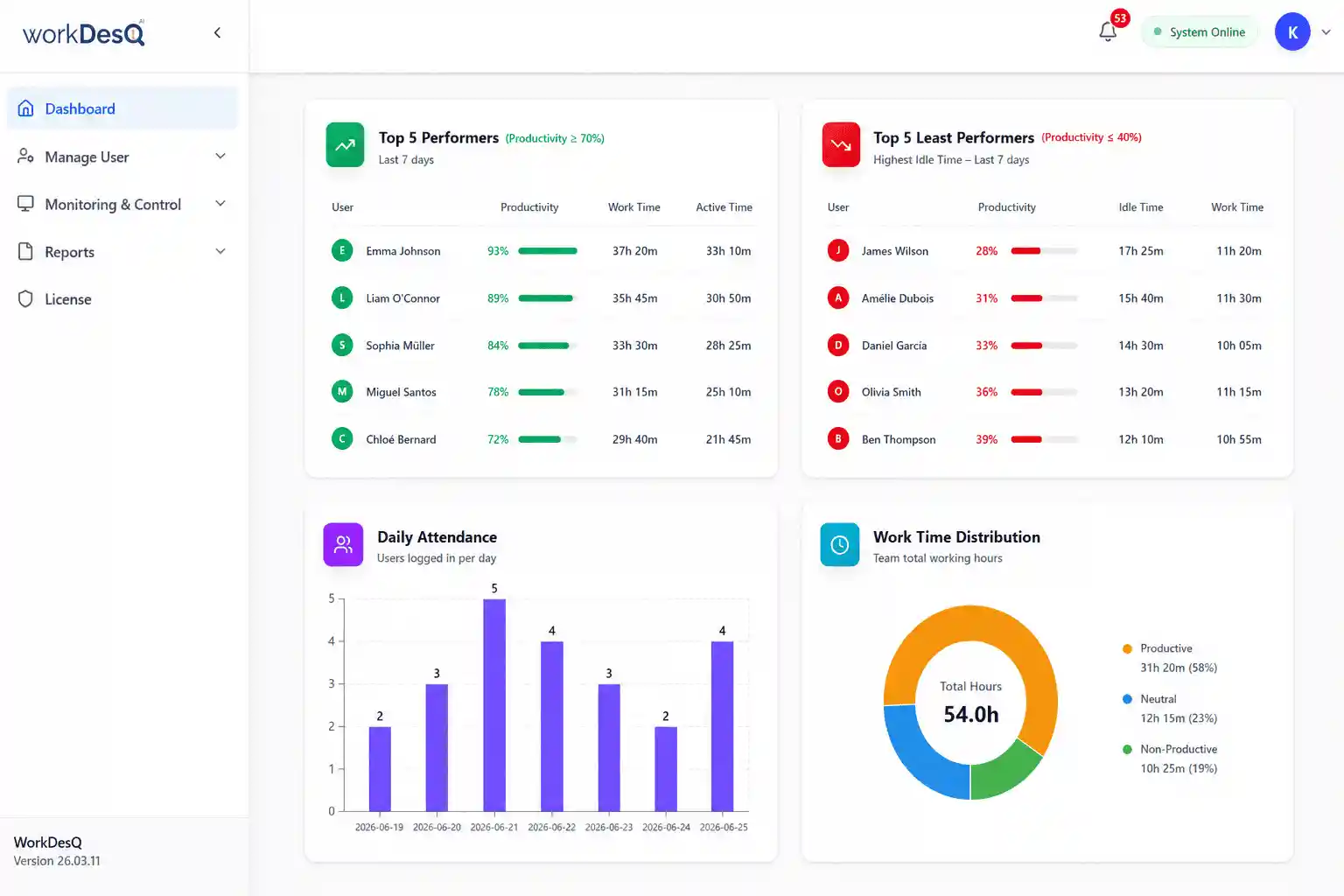
- Active work hours
- Productive time
- Idle time
- Daily productivity trends
- Weekly performance
- Team productivity
5- Measure project progress
You should review these regularly
- Completed projects
- Pending tasks
- Delivery time
6- Maintain regular communication
Regular communication is very important in remote teams and you should discuss these things
- What is the current workload
- Can you discuss the project status?
- Employee challenges.
- Required support
Common Signs Employees May Not Be Working Effectively
Here are some warning signs
- Continuously missing deadlines
- Long idle time
- Low application usage
- Poor communication
- Declines in work quality
- Important projects are delayed
Common Mistakes Employers Make
Many businesses reduce productivity when they use wrong metrics.
- Measuring productivity by mouse movements.
- Expecting every minute online
- Tracking through micromanagement
- Ignoring productivity reports
- Depending on working hours instead of results.
How to Check If Remote Employees Are Working All Day with WorkDesQ
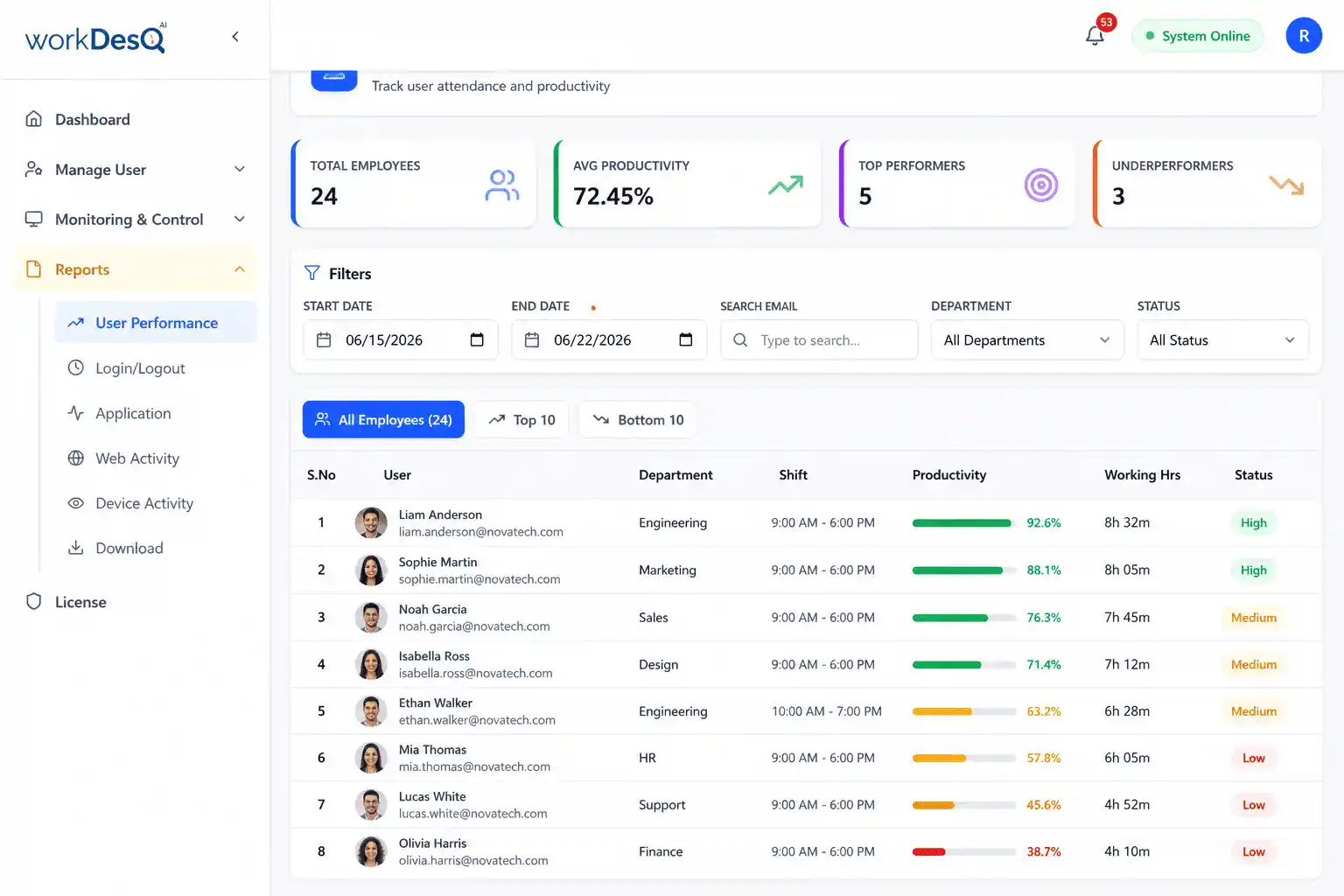
WorkDesQ provides real data about remote employees with these features.
- Using attendance tracking system
- Application usage tracking
- Checking productivity reports
- Analyzing active and idle time tracking
- Generate workforce reports.
- Manage remote on-site and hybrid employees from one platform.
With these features managers can make data driven decisions.
Employee Work Monitoring Software
See the complete employee work activity like productivity,application usage,attendance,screen monitoring and idle time tracking
Conclusion
When you check if a remote employee is working all day you should not judge it by online status alone. You should use modern attendance tracking tools, application usage tracking productivity reports and review completed tasks. When businesses use these tools instead of only online status, productivity improves employee trust grows and remote teams become more successful.