See Productivity in Real Time.
Monitor employee activity, track work hours, and improve team efficiency with powerful insights.
If you are looking for low-cost employee computer monitoring software, there are many options available for time tracking, activity monitoring, website and application usage tracking and productivity tracking but you can use these popular low cost options such as WorkDesQ employee computer monitoring software.. Low-cost employee computer monitoring software is specially made for startup companies, low budget companies and companies who do not want expensive tools.
Top Employee Computer Monitoring Software Companies in 2026
| Software | Starting Price | Best For |
|---|---|---|
| WorkDesQ | Contact for Pricing | Employee Monitoring & Productivity |
| Clockify | Contact for Pricing | Time Tracking |
| StaffCounter | From $1/user/month | Budget Monitoring |
| Monitask | From $6.49/user/month | Screenshot Monitoring |
Why Choose Low Cost Employee Monitoring Software?
- Identify employee time wastage during working hours
- Easily manage hybrid and remote teams
- Helps calculate accurate payrolls
- Provides input for data-driven decision making
- No need to spend a large amount
- Financial risk is low
- Best for small teams and startup businesses
- Good for trial versions
Top Features of Affordable Monitoring Software
- Simple time tracking
- Website usage monitoring
- You can download productivity reports
- Basic privacy controls
- Login and logout monitoring
Benefits of Top 4 Low Cost Employee Computer Monitoring Software
1- WorkDesQ
WorkDesQ is very popular software for all-in-one work tracking solutions they provide much better features than other tools and here are some benefits
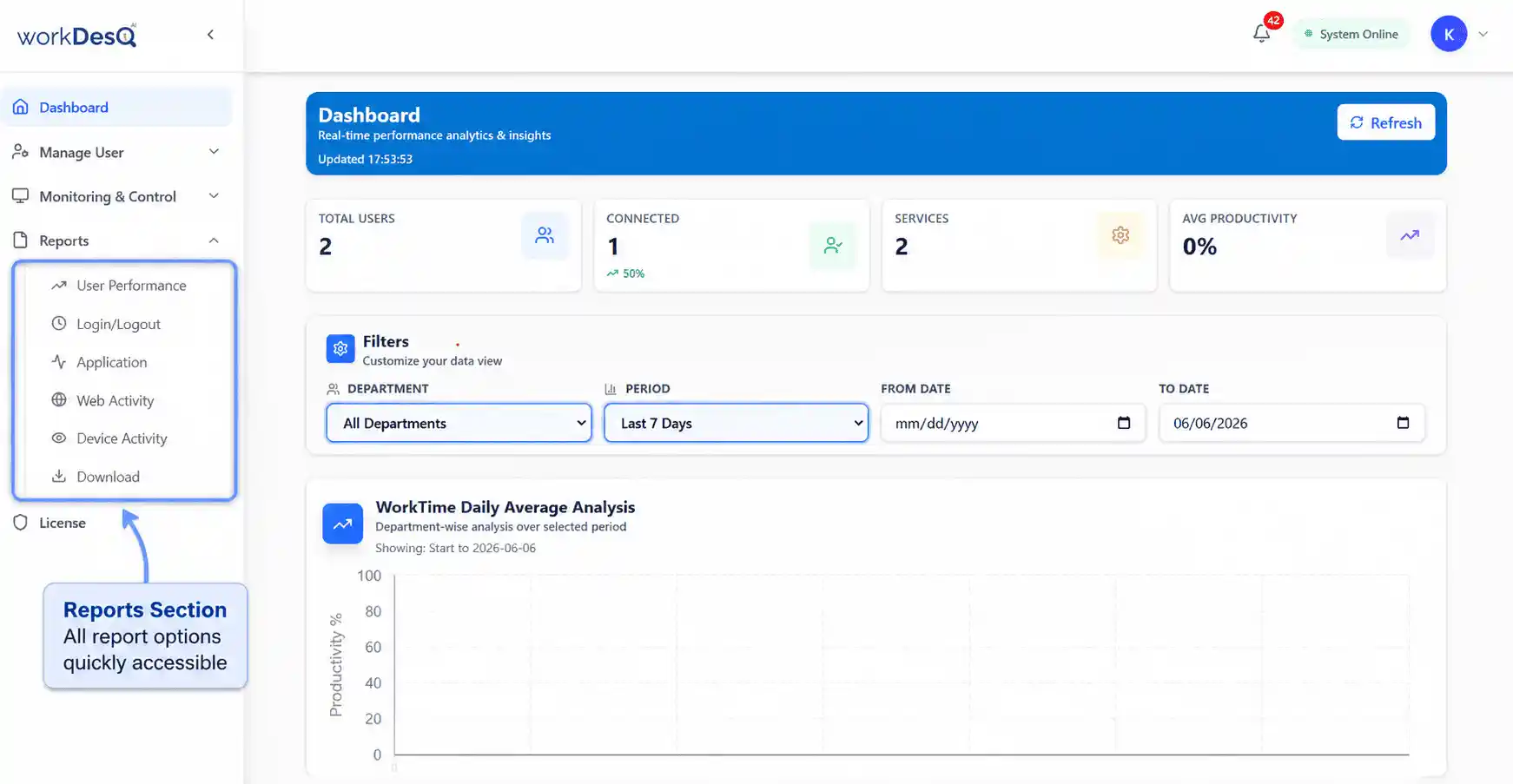
- Employee time tracking
- Screenshot monitoring
- Productivity tracking
- Attendance tracking
- Application usage tracking
- Detailed reports in charts and graphs
- Download reports in Excel and PDF formats
2- Clockify
Clockify is a popular tool for time tracking and people who are looking only for time tracking Clockify is the best option and here are some benefits
- Project and task tracking
- Easy to use
- Detailed time report
3- StaffCounter
StaffCounter is an affordable monitoring its price starts at approximately $1 per employee per month but if you want to know correct amount you should check on their official site and here are some benefits
- Activity monitoring
- Time tracking
- Productivity reports
4- Monitask
Monitask focuses on transparency and employee accountability and it helps maintain trust and visibility and here are some benefits
- Productivity reporting
- Employee friendly approach
- Screenshot monitoring
How to Choose a Low Cost Computer Monitoring Software
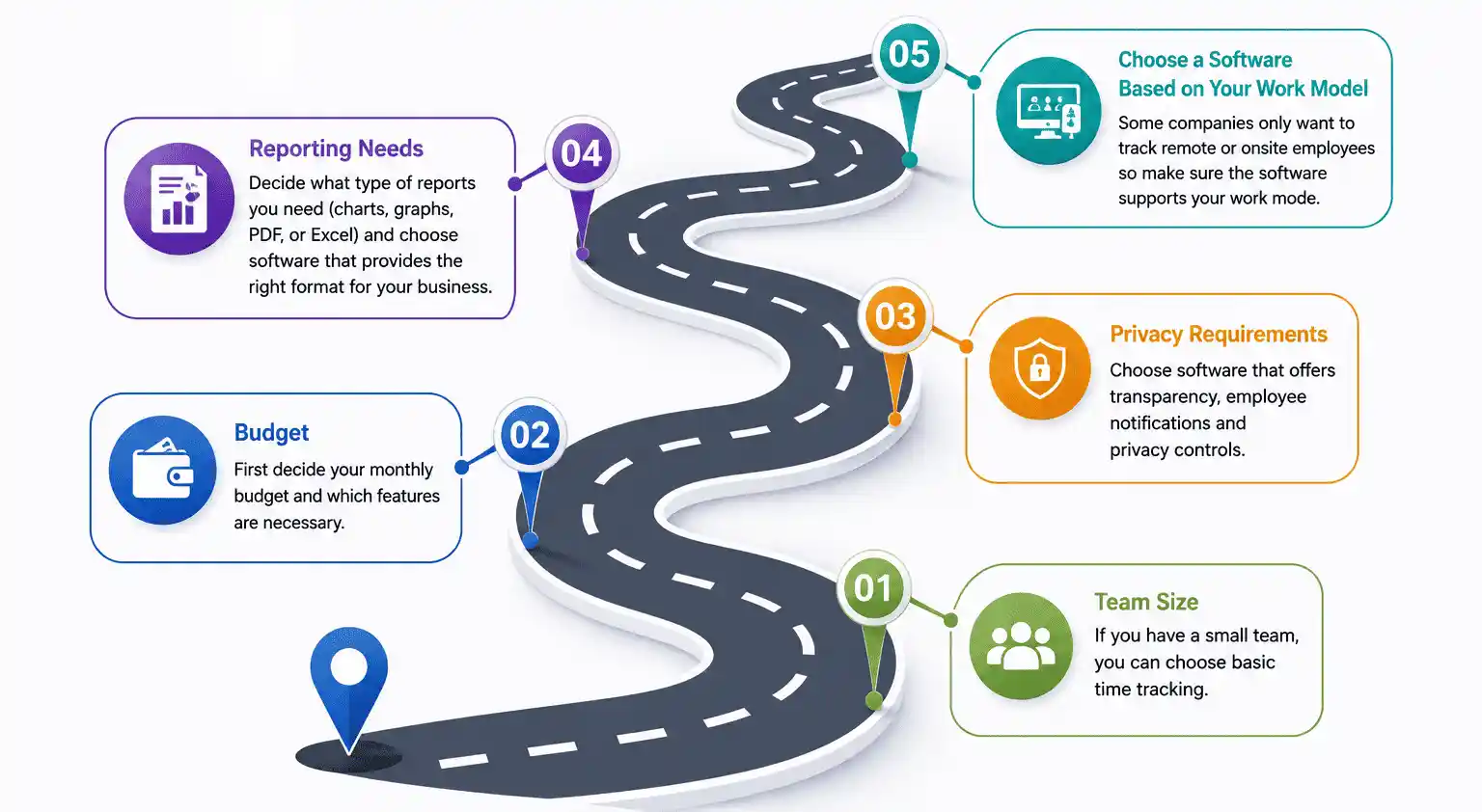
- Team size
If you have a small team, you can choose basic time tracking
- Budget
First decide your monthly budget and which features are necessary
- Privacy requirements
Choose software that provides transparency, employee notifications and privacy controls
- Reporting needs
You should decide what type of reports you need like charts, graphs, PDF reports, or Excel files. Choose a software that provides reports in the format that works best for your business.
- Choose a Software Based on Your Work Model
Some companies only want to track remote or onsite employees so before selecting any software make sure software supports your work mode
Tips for Successful Software Implementation
- Choose budget friendly software that suits your company
- Focus only on the features you need most
- Start with free trial demo
- Avoid paying for features you do not need
- Use reports to improve productivity
- Maintain employee privacy
- Review software cost regularly
Low Cost Monitoring Software Buying Mistakes
- Ignoring hidden and annual costs because it may increase in future and it may hurt your business
- Paying for features that you do not need
- Not checking user limits before buying
- Selecting software without taking free trial or demo
- Not comparing multiple low-cost monitoring software
- Just focusing only on low cost and ignoring software reliability
Who Needs Low Cost Monitoring Software?
- Small businesses with limited budgets
- Startup companies looking for affordable management tools
- Remote teams that need low-cost productivity tracking
- Companies that manage only part-time workers
- Business owners with small HR budgets
Conclusion
Choosing the right low-cost employee monitoring software totally depends on your budget and monitoring cost. Affordable solutions like WorkDesQ, Clockify, StaffCounter and Monitask provide good features without high costs.
Choose a platform that tracks productivity, reporting and maintaining balance between employee privacy and improving business efficiency.
Before purchasing any tool, compare pricing, reporting options and ease of use features that are most important for your business. There is no need to pay for advanced tools if your needs are basic monitoring.