Today doing work from home or work from different cities has become normal because it provides freedom to employees but it also feels lonely or disconnected sometimes. If you are thinking how to keep remote teams connected then you are at the right place. You need the right mix when you try to connect remote teams effectively like
- Work communication strategies
- Best software to keep remote team connected
- Virtual team engagement ideas
In this we discuss
- Best ways to keep remote teams connected
- Remote team management tools
- How you will improve remote team collaboration
If you are searching for online team collaboration tools or find ways to connect distributed teams, this guide will help you increase remote team productivity and keep remote workers happy.
Why Difficult to Keep Remote Teams Connected
When employees work from the office it is very easy to communicate with other employees like having fun in tea or lunch breaks but in remote work there are no interactions with remote employees and they feel nothing more than a name or an icon on the screen that is why managers use employee communication software or team collaboration platform for remote work. If managers do not have a proper plan, communication becomes weak and work slows down.
Top 10 Strategies to Keep Remote Teams Connected
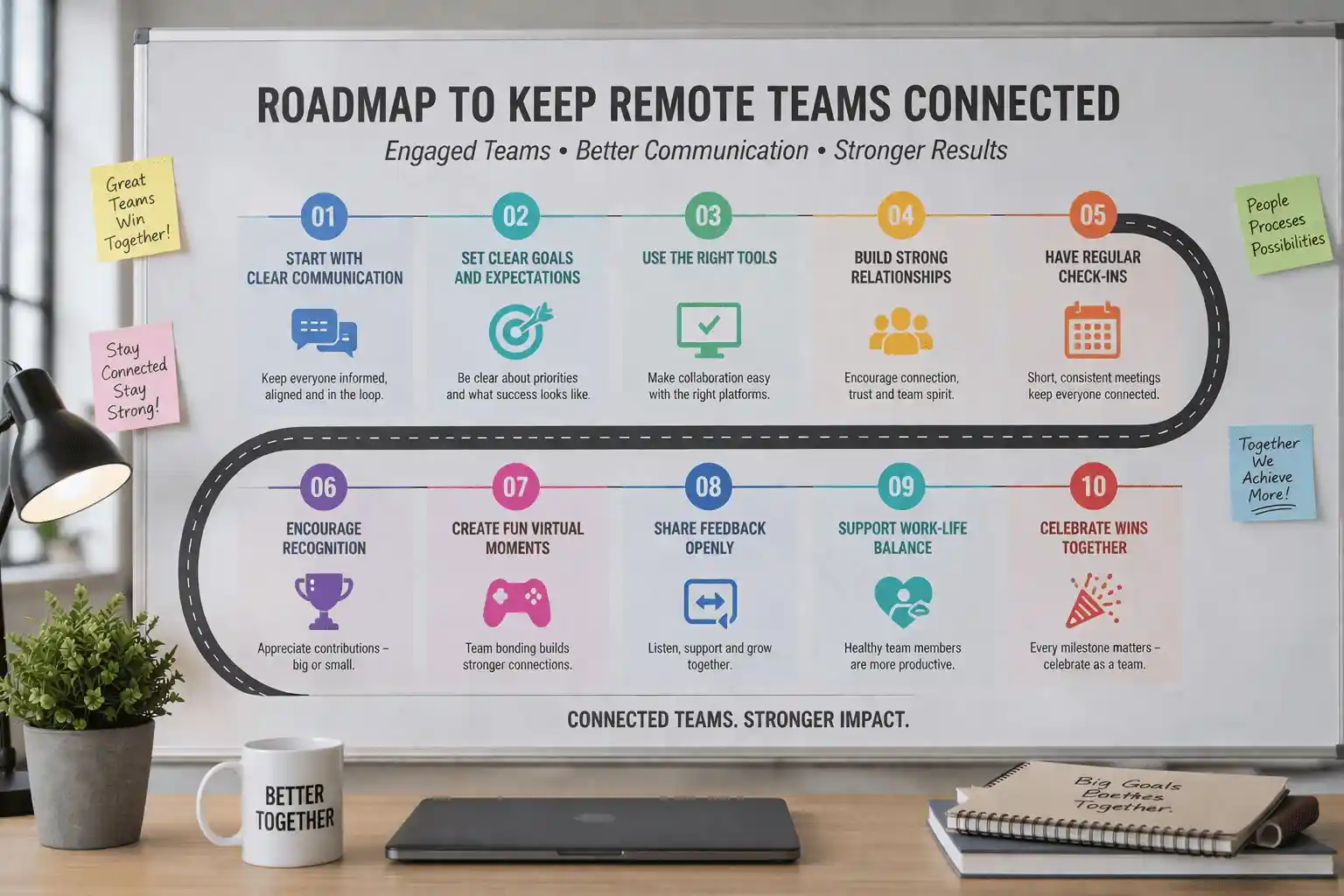
- Host Virtual Coffee Breaks
This is the fastest and easiest way to connect remote teams by having non-working chats. Set 15-minute virtual coffee breaks on a day where people can talk about their day.
- Use the Right Communication Tools
You cannot keep remote teams connected without using the right communication tools. You can use the right collaboration tools like Slack and Microsoft Teams for quick and easy conversations.
- Set Clear Communication Rules
As a manager you should set clear communication rules for every remote employee for example, every employee should join daily meetings no matter whether it is senior and junior and discuss daily work problems in meetings and this helps reduce confusion.
- Invest in Online Collaboration Tools
To improve remote team collaboration, use tools where everyone can work together at the same time like google workplace and notion.
- Plan Fun Engagement Activities
Yes, it is true work is important but fun also matters in remote work mode you as a manager try fun activities like photo contests and online games.
- Use Productivity Tool
You can use remote team productivity tool like WorkDesQ so you can understand who is working on what and keep task assigned accordingly
- Schedule Regular Video Calls
Text message is useful but it is more important you have taken meetings on video call because this will help keep remote teams connected. You can plan weekly video calls using Zoom and google meet.
- Create a “Kudos” Channel
With this channel your team feels connected because this is a platform where your remote team appreciates each other’s work and gives respect to each other.
- Use the Same Tools Across the Company
If every team uses a different tool for communication, it creates confusion. Launch one communication tool for everyone so every remote employee feels connected.
- Encourage Frequent Communication
Encourage your team members to communicate daily so no one feels left out.
Benefits of Remote Teams Being Connected
- Increases remote team productivity
- Remote employees feel mentally better
- There are less misunderstandings in projects
- Remote work culture becomes stronger
- Team members trust each other more
- Employees feel valued and heard
How to Connect Remote Teams Across Different Time Zones
Handling employees in different time zones is very difficult but if you follow these tips then you can manage easily
- Record meetings
If someone is not able to join live meetings, you can record it and send it to them so they can watch later when they are free
- Use simple messages
Do not expect quick replies from remote employees you can send messages that employees can reply to later
- Use share calendars
Keep shared calendars so everyone knows each other’s working time because this will help avoid messaging at wrong time
- Respect Time Differences
Do not expect people to reply at night or early morning. Expect replies only during their working hours
- Plan Work in Advance
Assign tasks early so people have enough time to complete them on their own schedule.
How to Improve Team Collaboration with Feedback
Feedback is very important in every company and it helps you understand what is working and what needs to change.
1 Ask simple question
You can ask easy question to your remote employee
Do you feel connected to team
Are tools easy to use
2 Take Feedback Regularly
Do not wait for long days ask for feedback every month
3 Listen Carefully
When your remote employees share their thoughts first listen to them carefully and do not ignore problems.
4 Share Updates
Tell team what changes you have made based on their feedback, this builds trust
5 Improve Step by Step
Make small improvements over time.
Solve Problems as a Team
When remote employees are stuck on some problems, as a manager your responsibility is to not leave them alone, instead provide 2 or 3 employees for support and try to solve problems. How you can do it
- Call a quick meeting
- Add only relevant employees
- Let them share ideas
- Find solution together
Virtual Celebration (Don’t Forget This)
Small celebrations can make a difference in remote team does not matter even employees are far away from office, what you can celebrate like
- Remote employees’ birthday
- Work anniversary
How you can celebrate
- Just send simple message in group
- Call for 5 to 10 mins
- Wish the employees together
Friendly Competition (Keep Remote Team Active)
You can add little friendly competitions between employees for fun and more excitement. What you can do like
- Give them monthly challenges
- Fastest task competitions
- Most active member
Conclusion
Keeping remote teams connected is not a onetime task, it’s a long process. You need to use the right tools and follow simple and clear communications
If you use best ideas to keep your team engaged and use the right tools, you can build a strong and happy team no matter how far employees are from your office
By following these simple ways, you can keep your remote team productive and connected. With the right tools, distance will never be a problem