See Productivity in Real Time.
Monitor employee activity, track work hours, and improve team efficiency with powerful insights.
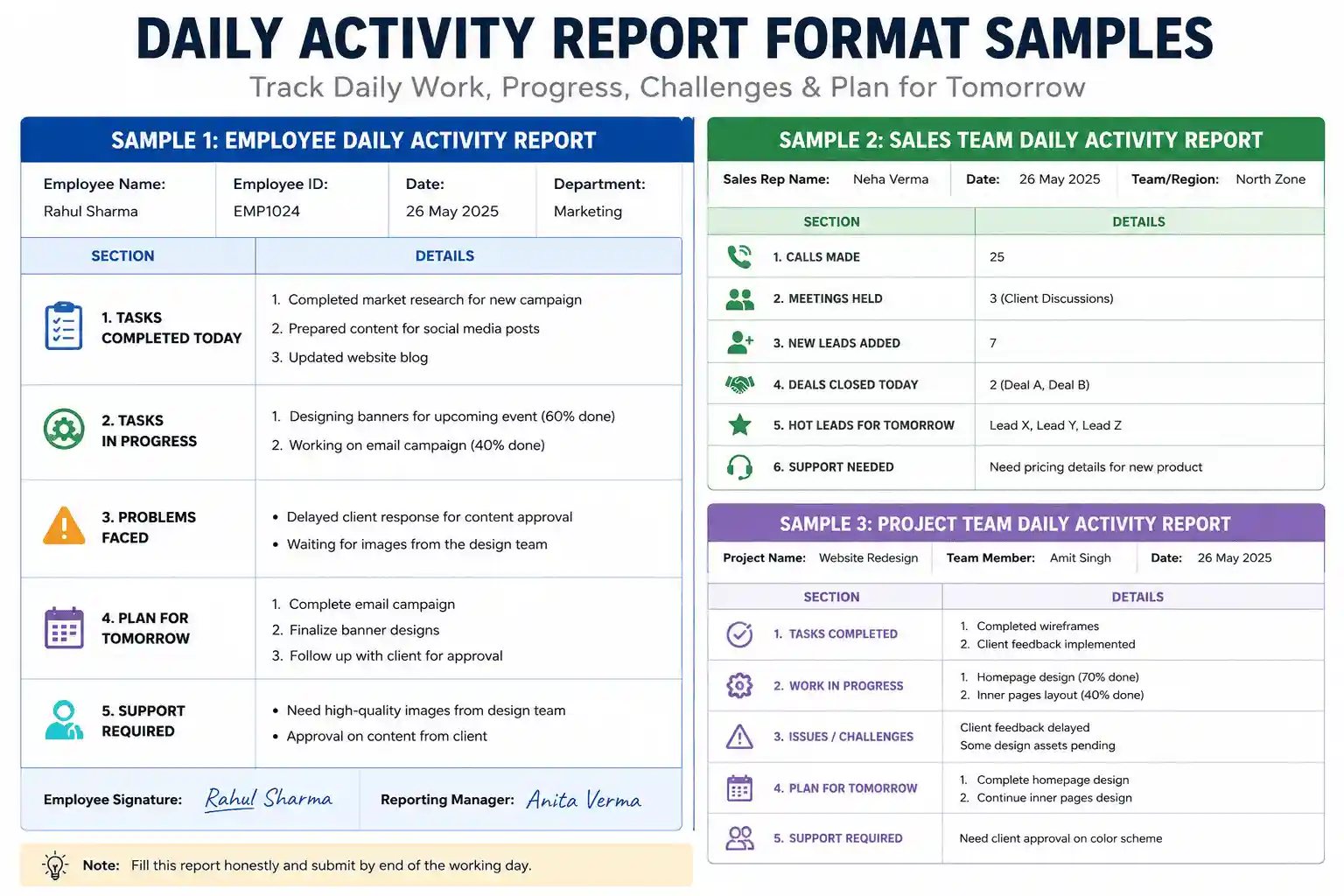
Daily activity report format samples are the most effective templates used to track employee daily activity and a standard daily work report includes 5 major parts
- Employee name and date
- Number of completed tasks
- Work progress status
- Highlight the problems
- Plan for tomorrow
If you are a manager or HR professional in a company, you know how difficult it is to track employee work and we see that companies spend most of their working time taking only work status updates and waste lots of hours in meetings.
Communication is the main part of any company but you and your team are not sitting in the same place, it builds major gaps. This is where you need a good daily work report template. When you are using daily activity report format samples, guesswork reduces automatically.
Why You Need Daily Activity Report Format Samples
Many managers think using daily report formats is a waste of time but if you use it in the right way it saves you time and helps you
- Make better communication with teams
- Keeps teams on track
- Find out problem early
- Giving fair performance reviews
- Easy work tracking
- Better planning for next day
If you are using daily activity report format samples in the right way, it does not feel boring because unnecessary meetings are reduced
Core Parts of a Good Employee Daily Activity Report
Before using any employee daily activity sample, it is important to understand how it works for you and what details you and your employees have to fill
- Basic information like date, name and employee role
- Which task is done today
- What work is currently in progress
- What problems are coming in the work
- What needs to be done tomorrow
- What type of support is needed like tools or senior guidance
Sample 1: The Basic Employee Daily Activity Report
| Section | Details to Fill In |
|---|---|
| Name & Date | [Employee Name] – [Today’s Date] |
| Tasks Completed | 1. [Task A] 2. [Task B] |
| Tasks in Progress | 1. [Task C – 50% done] |
| Problems Faced | [Waiting for client reply] |
| Plan for Tomorrow | 1. [Finish Task C] 2. [Start Task D] |
Sample 2: The Sales Team Format
Sales team manager tracks only number of sales, so they using different format
| Section | Details to Fill In |
|---|---|
| Sales Rep | [Name] |
| Daily Numbers | Calls made: [00] |
| Meetings Held | [Client discussions] |
| Deals Closed Today | [Closed deals details] |
| Hot Leads for Tomorrow | [Lead A, Lead B] |
| Support Needed | [Manager support needed] |
Download Daily Activity Report Format Samples in Excel
How to Get Your Team to Use a Task Tracker Format
Daily activity report format is still useless when employees do not fill it on their own, you should take some important steps for good use
Explain the format fully
Do not just give format to employees, also explain why is good for you
Keep it short
Tell employee use bullets points in daily activity report, do not use long paragraphs
Read them and reply
If you do not read the reports, employees lose interest. You have to reply like I will check the report
Pick the right tool
You can pick the best tool like Google Sheets or a chat tool that is best for you and your team
Track Daily Activity of Employees with WorkDesQ
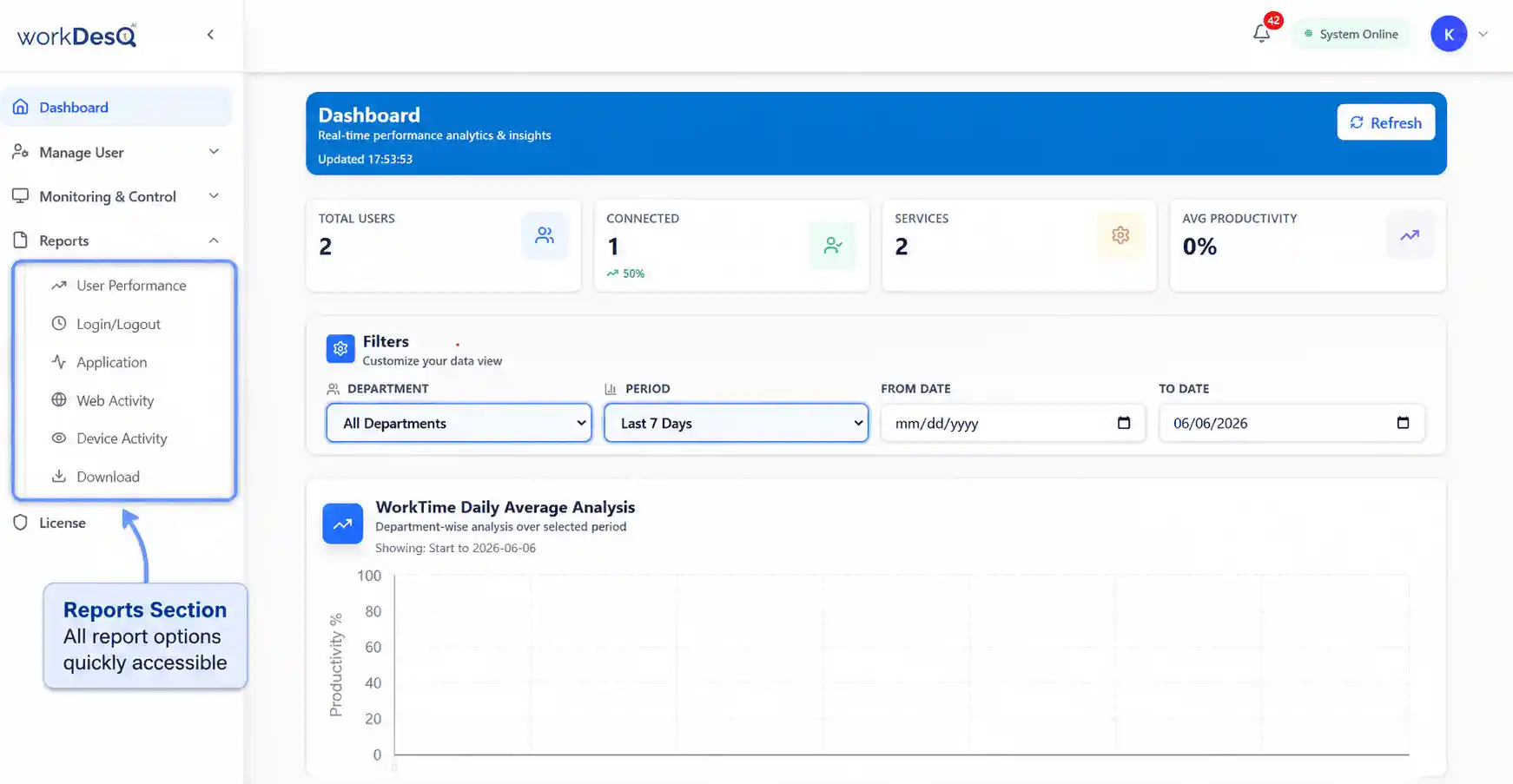
Using daily activity report samples is a little bit time taking and it also comes with some mistakes because this is the manual method but WorkDesQ gives you fully automated daily activity reports without doing too much effort.
WorkDesQ is employee monitoring tool which gives you real time activity without micromanagement
- Real time activity tracking
- App and website usage, which employees daily use their working hours
- Screen monitoring that gives you every 5 or 10 minutes employee screenshots
- Software provides daily productivity reports showing productive vs idle time
Final Thoughts
Managing a team becomes easier when you know clearly what employees are doing during working hours on a daily basis and start using daily activity report format samples, test for one week and improve it according to your needs.
If you want to save your time then you can choose automated software to generate daily activity employee reports and you can also see reports in charts and graphs.