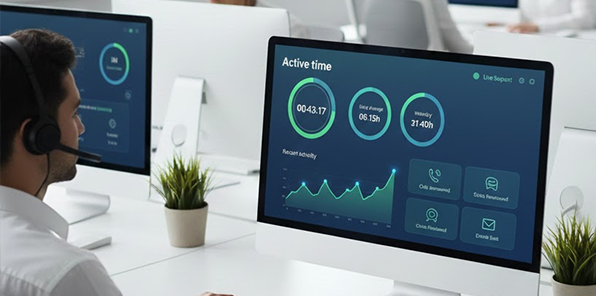
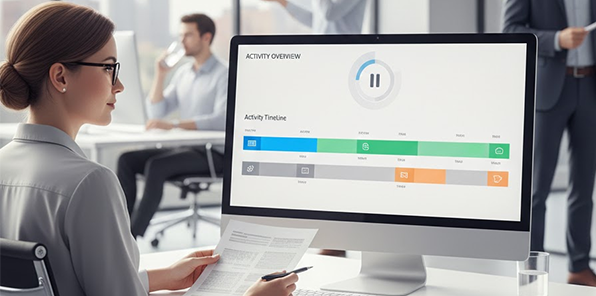
Idle time tracking is a very important part of modern workforce management. Especially for remote and hybrid teams because they are hard to manage. Businesses no longer rely on attendance or manual time sheets; they want accurate data about employees and how work time is actually spent during working hours.
Idle time tracking is the feature of employee work tracking. When an employee’s laptop is inactive for a long time it tracks no mouse, no keyboard activity during working hours. This does not mean the employee is not working.It actually indicates the system does not receive employee input.

5/5
5/5
5/5
5/5
Idle time tracking is not about spying on employees, it’s about understanding employee work patterns and using data to improve productivity, efficiency and employee well being
Traditional login and logout tracking only tracks login and logout times. Idle time tracking goes deeper showing how much employees work truly during the shift hours.
Idle time tracking ensures fair and transparent payroll calculations; it reduces disputes and prevents overpayments caused by inflated logged hours.
Time theft is basically used for login without doing actual work and has a huge impact on a company's bottom line. Idle time tracking software detects this gap.
By detecting active and idle patterns, companies can optimize shift schedules, balance workload across teams, reduce burnout caused by uneven task distribution.
Our software provides fact-based insights without requiring manual check-ins. Instead of relying on manual check-ins, our software automatically gathers accurate insights..
With the help of idle time tracking, managers can make decisions based on actual work rather than assumptions, improving transparency and trust..
Idle time tracking tool works silently in the background after the installation
Monitoring
Inactivity
Classification
Reporting
Our software detects keyboard and mouse input as a signal of employee activity.
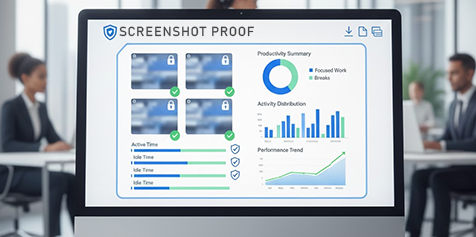
Our software automatically generates weekly, monthly reports showing active vs idle time.
Our tool allows employees to tag idle time as meetings, calls or breaks.
⚡ Fast, free, and no card required
When you choose our idle time tracking application. Our tool offers a complete productivity eco system.
Idle tracking features ensure that monitoring is ethical, non-intrusive, and compliant with privacy standards
Blurring
Scheduling
Consent
Our software is useful for many types of companies. It helps business owners understand how work time is being used and where improvement is needed.
We believe in transparency. Here, we explain some common myths and show how we ethically support both employees and employers.
Reality is that many productive tasks include thinking, planning and communication with seniors that may not register as activity.
Idle time monitoring is not meant to create fear it uses for improvements
Our idle tracking software is designed for all types of companies like small, mid and large.
Our idle time tracker provides you with a clear difference between idle time and active time
When your employee is using the keyboard and mouse or open work-related applications. It indicates direct and measurable engagement with systems. Examples of active time include typing emails or reports, using CRM, designing coding, data entry and browsing work related websites.
Idle time refers to there being no detected user activity on the system during shift hours. It does not always mean non-work behavior. We have examples of idle time attending phone calls, reading documents, brainstorming and taking short breaks.
These are the important points you need to check before purchasing an idle time tracker. The best solution is not the one with the most features. It is the one that fits your workflow,
Employee Size
Look at your company size. Small teams usually need simple tracking, while larger companies need more advanced tools to manage multiple employees and departments.
Role Type
What is your company work nature like you are working on some technical projects, creative agency, provide support or managerial.
Work Type
What is your work mode – remote, hybrid, or office-based? Understanding this helps you choose an idle time tracking tool that fits your team’s workflow.
Budget Planning
When choosing software, make sure it fits your budget and current needs so you won’t have to switch tools later.
Law
Before choosing software its important consider legal requirements because different countries and region have different rules.
Simple Interface
When choosing software, make sure it’s easy for managers and employees to use. It should run quietly in the background and track work accurately without disruption.
Watch our demo video to see how managers can monitor employees idle time and learn how the software works silently in the background.
"After implementing WorkDesQ software, we can easily track our employees’ idle time from one place because we have multiple working locations"
Michael Thompson
HR Director,San Francisco
"This software generates insightful reports that help us make data-driven decisions. Thanks again to the WorkDesQ support team!"
Aisha Rahman
Operations Manager,Dubai
"I can track all employees’ idle time without interrupting their work. This software lets me see who is actively working, and it truly works for my team."
Liam O’Connor
Project Lead,Sydney
Join thousands of security teams protecting their organizations. Start with our free plan today—no credit card required.