See Productivity in Real Time.
Monitor employee activity, track work hours, and improve team efficiency with powerful insights.
The most common signs you are being monitored at work are unknown software running silently in the background, battery drain fast, webcam light turning on and off automatically without any reason and limited admin permissions. Most employers use these tools just to track employee productivity, secure company data and record network activity during working hours.
It does not matter whether you are working from home or office, understanding how to know if your employer is monitoring you is important for protecting your privacy.
In this guide you will learn
- 10 Clear Signs You May Be Monitored at Work
- How to check your laptop
10 Possible Signs You Are Being Monitored at Work
- Unknown background applications running that were not downloaded by you
- Browser extensions you cannot remove that automatically shows on your company system
- When you notice that sudden system slowdowns without opening too many tasks at the same time
- Restricted Admin Access
- Webcam or microphone turning on and off automatically
- Use of VPN or company network tools
- Remote IT support tools installed
- Physical workplace monitoring systems
- Company policy clearly mentions monitoring
- Frequent screenshots or screen recording alerts
Why Do Firms Require Monitoring Their Workers?
Before learning more about the signs you are being monitored at work, think about why more companies are using productivity and performance monitoring systems. The most common reasons why such highly sophisticated systems are getting popular among companies include:
- Protect highly sensitive data as well as company info.
- Safeguard from any unforeseen security threats.
- Monitor actual team productivity.
- Carefully set reasonable goals and targets.
- Efficiently manage remote employees.
- Ensure stringent compliance and adherence in alignment with company policies.
If you understand how employers monitor employees, it will certainly help you differentiate between something that is considered normal from anything that points towards active tracking.
How to Know If Your Employer Is Monitoring You?
Many workers ask, how to know if your employer is monitoring you? Some clues include the following:
- TL and office managers seem to know the details about your online activities.
- Leaders at work reference various websites or apps that you recently used.
- These people ask you about your work patterns with weirdly true accuracy.
- Performance reports tend to have highly detailed activity records of yours.
These points might show employers tracking employee activity via certain digital systems.
Can My Employer See What I Do on My Computer?
A very common thing that workers ask often – can my employer see what I do on my computer? In most such cases, the response is yes, specifically if the employee has been making use of some company devices. Employers may legally monitor your activity on work devices according to company policies and local laws and monitoring include
- Info about the websites visited.
- Information about the apps used.
- Details of the employee’s email activity.
- Knowledge about all the file transfers.
- Daily screen activity.
This is the reason why comprehending work computer monitoring signs is crucial.
How to Check Your Work Device Safely
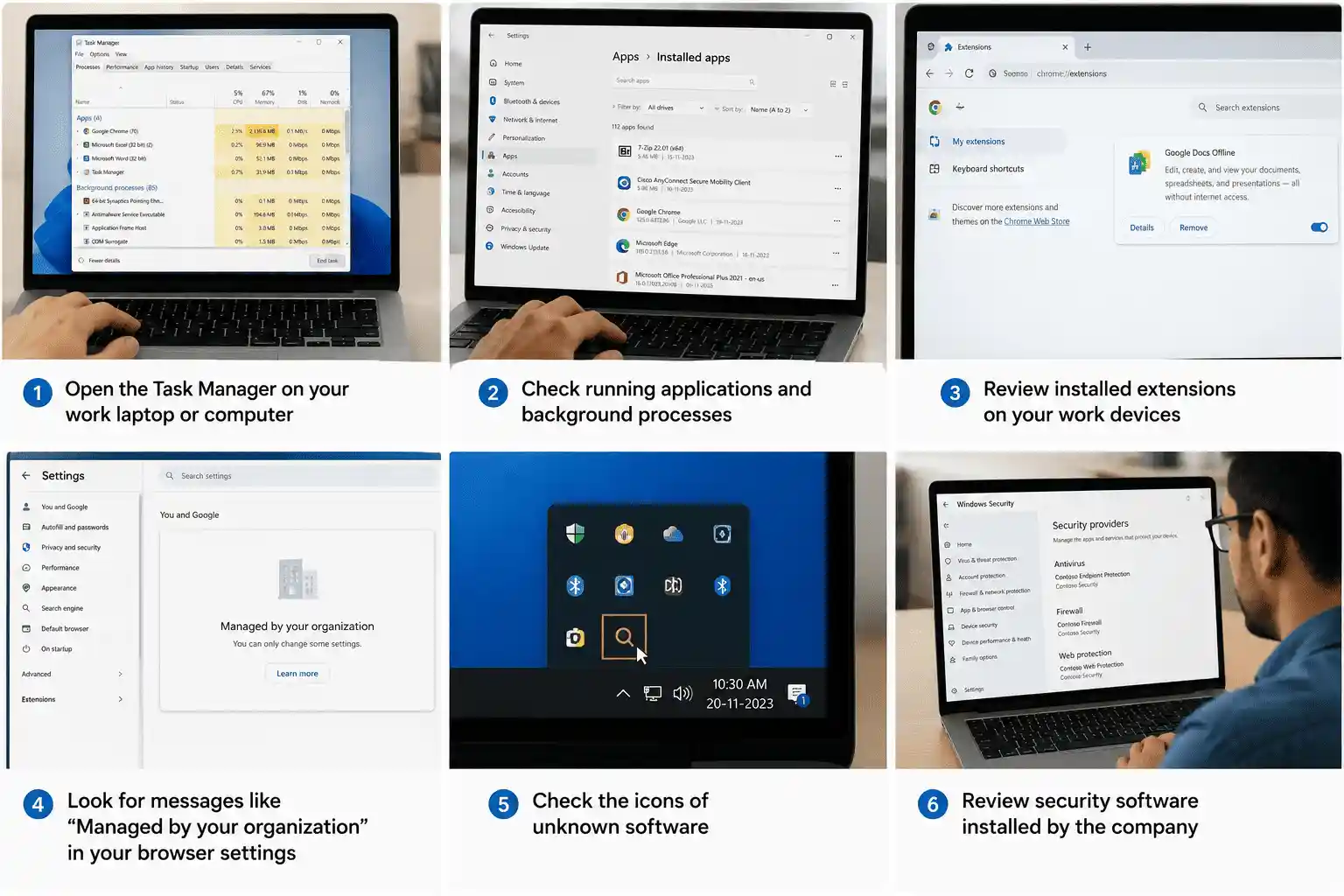
You can check if you are being monitored by following these steps.
- Open the Task Manager on your work laptop or computer
- Check running applications and background processes
- Review installed extensions on your work devices
- Look for messages like “Managed by your organization” in your browser settings
- Check the icons of unknown software
- Review security software installed by the company
Pro tip – Do not uninstall anything on company-managed devices
How to Know Whether Your Boss Is Paying Extra Attention to You?
Many times, technology is not the only sign. Some signs your boss is watching your work tend to include the following:
- Status update requests coming frequently.
- Queries about small details of your daily work tasks.
- Immediate feedback after certain online activities of yours.
- Very close monitoring of your regular attendance as well as work productivity.
While this does not always mean any surveillance software has been involved, it can certainly indicate close observation of your work.
What Could Be Done If You Are Being Closely Monitored?
If you happen to notice multiple signs you are being monitored at work, you ought to remain thoroughly professional, first things first! You can do the following:
- Try to review company policies again.
- Always ask HR people about such monitoring practices.
- Remember to use your work devices only for work-related activities in future.
- Do follow company rules related to several security guidelines.
Transparency frequently helps reduce confusion as well as concerns about workplace monitoring.
Common Types of Employee Monitoring Tools
Productivity Tracking Tools
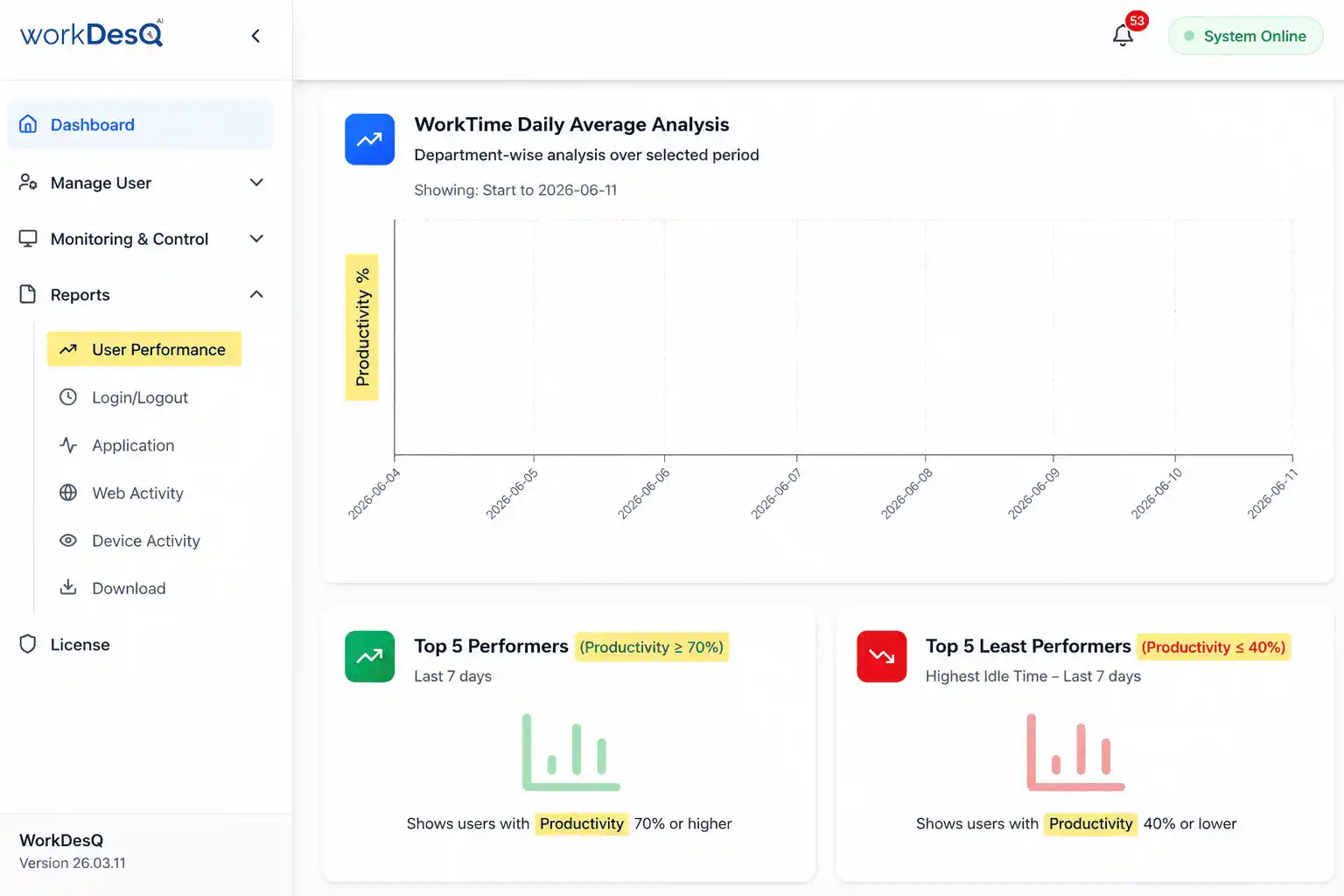
With these tools, employers track your work patterns and measure work hours. If you find these tools on your work devices, it may be a sign you are being monitored at work.
Security and DLP Tools
Employers want to prevent data leaks and protect sensitive files.
Endpoint Management Software
This tool is used for system updates and security controls.
Common Mistakes Employees Should Avoid
- Forcefully uninstalling software from laptops managed by your company
- Assuming incognito mode hides activity from company systems
- Using personal Wi-Fi for browsing personal things
- Ignoring employee monitoring policy
- Trying to bypass or disable monitoring tools
- Using personal cloud storage for work files
- Ignoring security pop-ups or warnings when you open company device
Protecting Personal Data After You Notice Signs of Monitoring
- You should keep personal and office work separate
- Always use personal device for personal work but do not use company device for personal work
- Before using a company device, read the company’s IT and security policies carefully
- Do not store personal data on company devices
- Report any suspicious activity to HR and IT department if needed
- Do not log in to personal email accounts or chat platforms on company devices
- Do not connect personal devices such as your phone or laptop to company Wi-Fi
Conclusion
Checking the signs you are being monitored at work could help you understand your workplace culture better. Monitoring is a common thing in modern-day firms, so do not get swayed by it! Try to be true to your work as well as your company by following the rules, and that’s the thumb rule to it!
When you find any signs, you are being monitored at work, doing some practices like staying professional, protecting your personal information and following workplace guidelines.
When you are using company devices, employers have the right to monitor you for improving productivity, protect business data and maintain security.